


Configuring Windows Search Indexing Options in Windows Vista and Windows 7
Use the following steps to configure Windows Search to index your mailbox when Outlook is operating in Cached Exchange Mode.
Turn on OST Indexing using the Indexing Options Control Panel
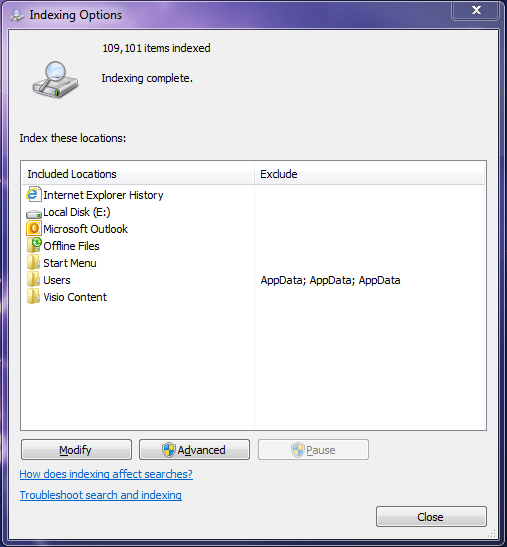
- From the Start menu, search for "indexing options" using the search bar, then either press enter or click on Indexing Options within the search results.
- In the Indexing Options window, click the Advanced button. Note that you may need to contact your local IT support help desk if you are prompted to enter Administrator credentials.
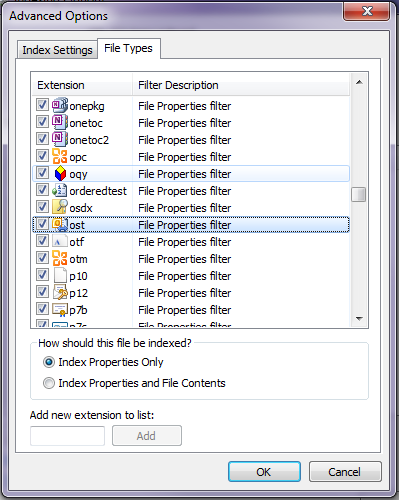
- In the Advanced Options window, click on the File Types tab, then scroll down in the list to locate "ost". Make sure this option is checked, as shown below.
- Click OK, then Close to save this configuration.